![[Solution] Fixing Cloudflare Email Routing Forwarding Failures to Gmail (New 2024 DMARC/SPF Policies)](/images/blogs/cloudflare-email-route-fw-failed/cover.png)
The Plot Thickens: Gmail’s Strictest-Ever Sender Verification Policy
Since February 2024, in a heroic effort to combat spam, Google has rolled out a stricter sender verification policy. According to Google’s official decree, bulk senders must now set up email authentication mechanisms like SPF, DKIM, and DMARC.
Important: Starting in February 2024, senders who send 5,000 or more messages a day to Gmail accounts must… set up… email authentication for their domain.
While this policy is a noble cause, it has created a bit of a pickle for users of email forwarding services. Cloudflare’s free Email Routing service, a crowd favorite, has been hit particularly hard. Many users have noticed that emails forwarded from their custom domains to their personal Gmail accounts have started to fail more frequently.
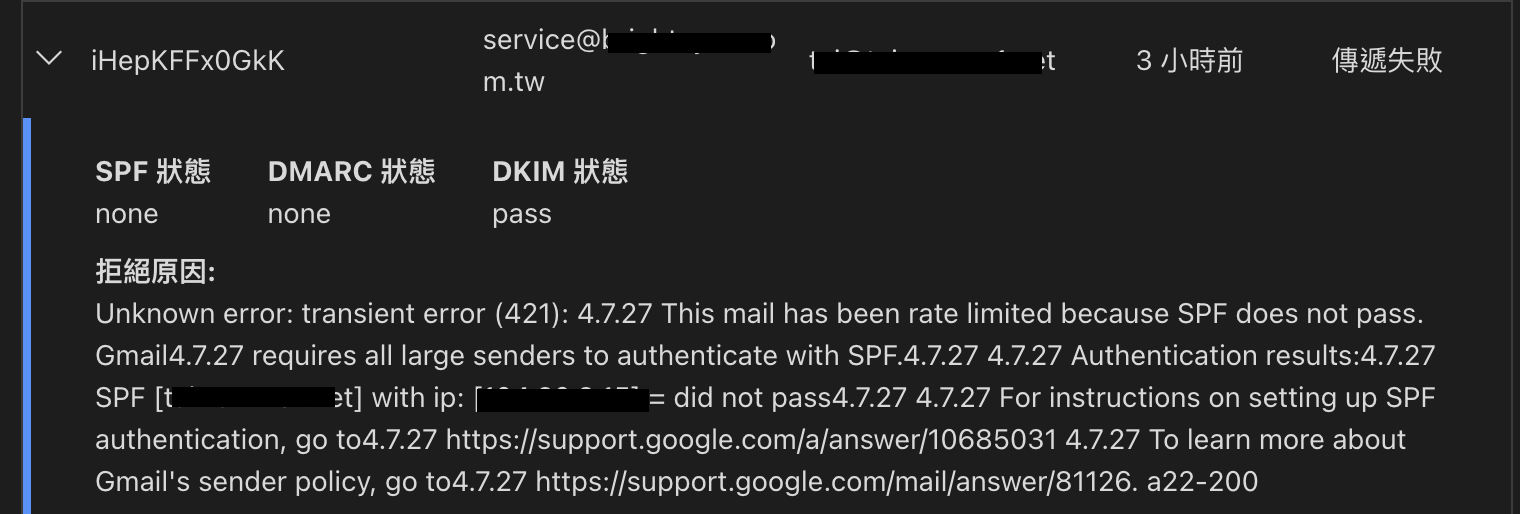
This article will offer two solutions to help you navigate this email labyrinth.
Solution #1: The Email Worker and the Intermediary Mailbox Gambit
The core idea here is to set up an “intermediary mailbox.” You’ll use a Cloudflare Email Worker to forward incoming emails to this new mailbox, and then your primary Gmail account will fetch the emails from the intermediary mailbox using POP3. It’s like a secret agent hand-off for your emails.
- Create an Intermediary Mailbox: You can choose any reliable email service provider. Based on the internet’s collective wisdom, using a Yahoo Mail account as the intermediary has proven to be a successful workaround.
- Set Up an Email Worker: Drawing inspiration from Japanese developer Classmethod’s article, Gmailに届かないCloudflare経由の独自ドメインメールを調べてみた, you can write a simple Email Worker to forward all emails from your custom domain to your newly created intermediary mailbox.
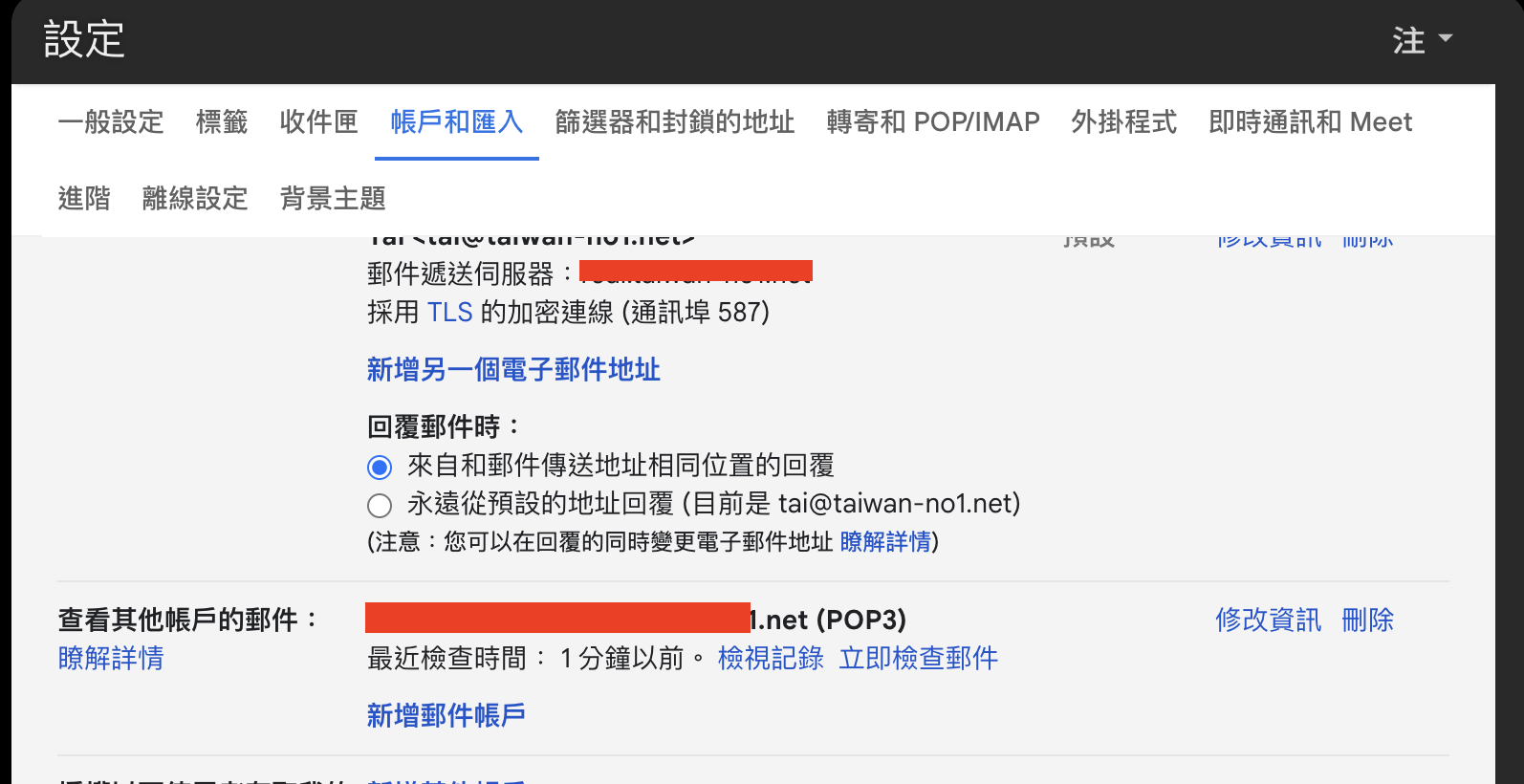
- Configure Gmail POP3: In your primary Gmail account, go to “Settings” > “Accounts and Import” and add a new POP3 mail account, pointing it to your intermediary mailbox. Gmail will then periodically “pull” emails from this mailbox.
The upside of this method is that it’s relatively simple to set up and you can continue to enjoy the free service. The downside is a slightly longer email delivery path and one more mailbox to manage.
Solution #2: The Self-Hosted Mail Server Power Play
If you’re looking for a more permanent solution and have some basic server administration skills, you might consider setting up your own mail server as an intermediary. For instance, you could use the MailPlus Server package included with a Synology NAS.
- Pros:
- Total Control: You have complete command over your email flow, free from the whims of third-party service policy changes.
- Long-Term Stability: As long as your server is running smoothly, you won’t have to worry about these forwarding issues again.
- Cons:
- Complex Setup: Compared to the first solution, self-hosting a mail server involves more networking hurdles, such as port forwarding and DNS record configuration.
- Security Risks: Exposing a mail server to the public internet increases the risk of attacks, so you’ll need to implement proper security measures.
The Grand Finale
As Gmail’s email policies become increasingly stringent, Cloudflare Email Routing users are facing new challenges. The two solutions presented in this article each have their own pros and cons:
- Solution 1 (Intermediary Mailbox): Ideal for those who want a quick fix without a deep dive into technical complexities.
- Solution 2 (Self-Hosted Mail Server): Best suited for advanced users who desire long-term stability and have some server management experience.
Choose the path that best fits your needs and technical prowess.