![[Gemini + Google Apps Script] Automating Daily Tasks with Gemini: Gmail Cleanup and Stock Market Monitoring](/images/blogs/gemini-do-google-app-script/cover.png)
Preface
Lately, the concept of AI Agents has been gaining a lot of traction, with features like OpenAI’s ChatGPT Tasks showing us the potential of AI to handle our daily grind. This got me thinking: how will Google, with its massive ecosystem, leverage Gemini to create even more powerful automation applications?
After a bit of digging, I discovered that Google already offers the incredibly powerful Google Apps Script. This service allows developers to connect with APIs from a whole host of Google services, including Gmail, Google Sheets, and Google Calendar. This article will share how I used Gemini to generate Google Apps Script for two practical automation tasks, all with almost no coding required.
Writing Google Apps Script with Gemini
My goal was to use Gemini to automate two of my daily chores:
- Automate Gmail Cleanup: Automatically delete expired promotional emails or notifications to keep my inbox sparkling clean.
- Create a Stock Market Dashboard: Before the market opens each day, automatically fetch market sentiment indicators and broad market data, then organize it all in a Google Sheet for easy viewing on my phone or tablet.
Task 1: Automating Gmail Cleanup
I usually rely on Gmail’s filters to organize my mail, but a ton of time-sensitive emails still require manual deletion. I laid out my requirements to Gemini, and it quickly whipped up a Google Apps Script. This script automatically searches for emails with specific labels or keywords and deletes any that are older than a specified number of days.
Task 2: Creating a Stock Market Sentiment Dashboard
I used to use the Easel feature in the Arc browser to build my stock-watching dashboard, but it wasn’t very mobile-friendly. This time, I asked Gemini to write a script for me that would automatically pull data from a specific source and write it into a Google Sheet.
During the process, I realized that instead of hunting for an external API, I could just use the built-in GOOGLEFINANCE function in Google Sheets to get stock market indices. I fed this idea back to Gemini, and it helped me modify the script, successfully creating a daily, auto-updating stock market dashboard.
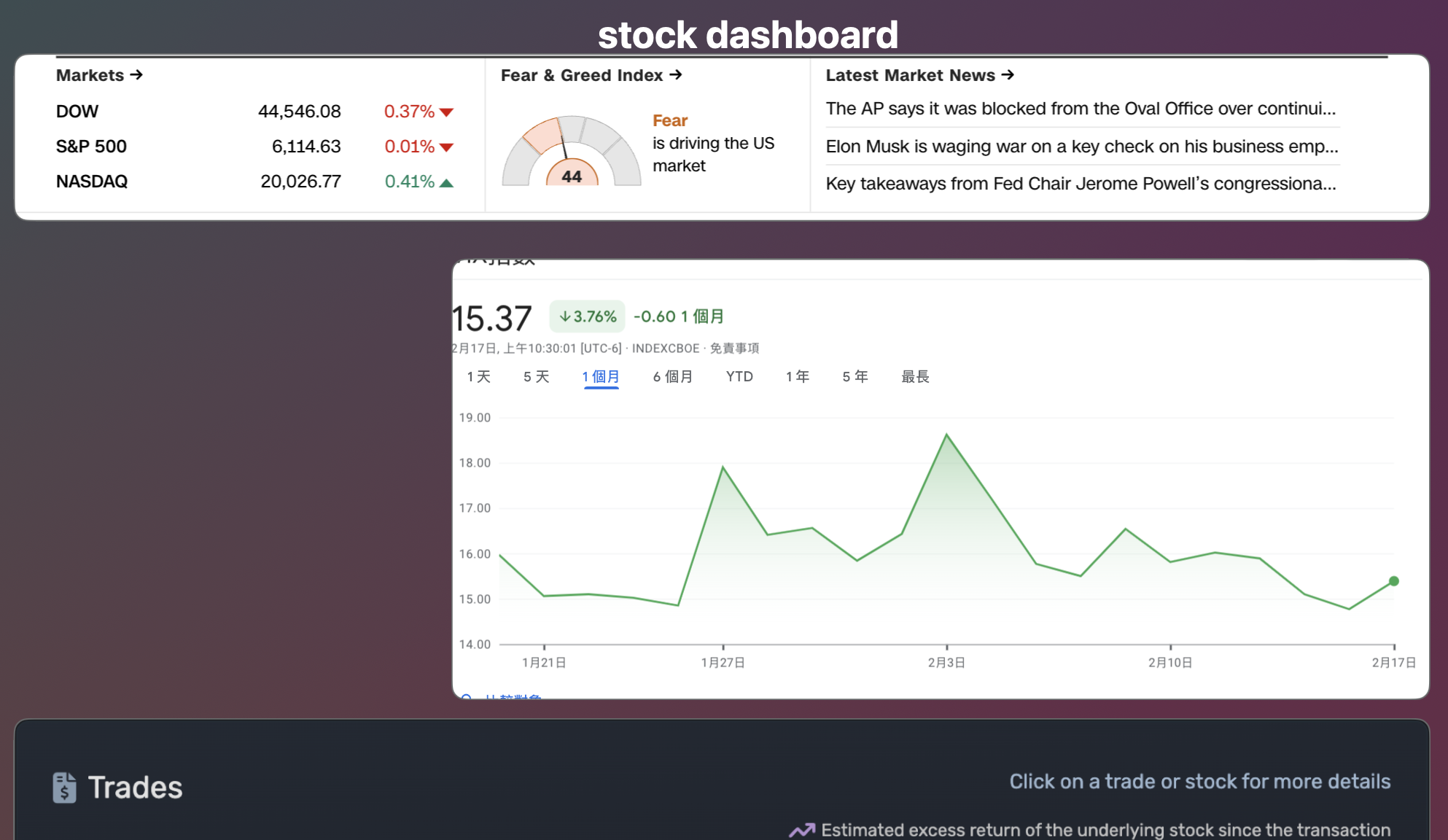
Setup and Deployment
The most crucial part of the whole process was pasting the Gemini-generated code into a Google Apps Script project and setting up triggers for scheduled execution. It’s also essential to authorize the script on the OAuth consent screen to access the relevant services (like Gmail and Google Sheets); otherwise, the script won’t run correctly.
I’ve shared the relevant code and Google Sheet template in the links below:
Conclusion
This experiment proves that with Gemini’s help, even non-developers can easily get the hang of Google Apps Script and build custom automation workflows. While we’re still a ways off from true “AI Agents,” Gemini has undoubtedly lowered the technical barrier to entry.
I’m thrilled with how this turned out, and it makes me even more excited to see how Google will integrate all its services in the future to achieve more comprehensive AI applications. For a subscription fee of about $20 a month, I think it’s an incredible value.